Before anything else: the laptop you already have is probably fine. Writing code is not demanding. A machine from the last five or six years will run an editor, a browser and Python or Node without complaint.
If you do need a new one, here is what matters, in order.
1. RAM — the one that bites first#
Slowdowns while coding are almost always about memory, not processor speed. An editor, a browser with fifteen tabs, a running server and a chat app add up quickly.
- 8GB — workable for learning, tight once you have several things open
- 16GB — the comfortable target for most development
- 32GB — for virtual machines, containers, large data or heavy media work
Check whether RAM is soldered. Many modern laptops cannot be upgraded later, which turns “I will add more next year” into “I will buy another laptop”.
2. Storage — type before size#
An SSD is non-negotiable. A machine with a mechanical hard drive will feel slow no matter what else it has, because everything you do involves reading many small files.
- 256GB — enough if you are careful, and dependency folders fill space faster than you expect
- 512GB — a comfortable default
- 1TB — if you also handle media or several large projects
3. Screen — you look at it all day#
- Resolution: 1080p at 13–14 inches is fine; higher is noticeably sharper for text
- Size: 13–14 inches for portability, 15–16 inches if it mostly stays on a desk
- Finish: matte is easier in bright rooms; glossy shows reflections
- Brightness: matters a lot if you ever work near a window
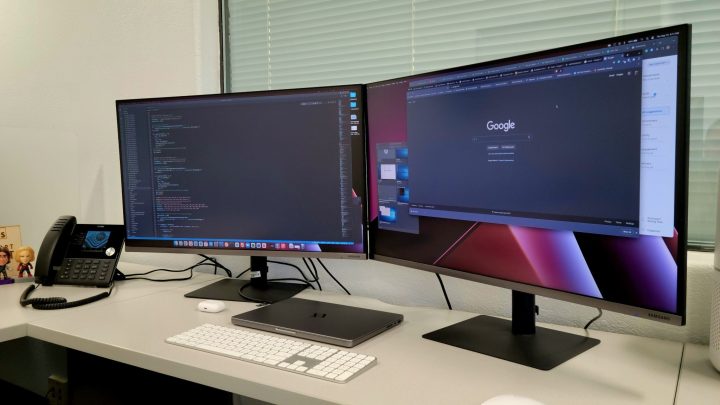
Whatever you buy, a laptop screen sits too low for good posture. A stand and an external keyboard fix that — see monitors for coding.
4. Processor — less critical than it sounds#
Any current mid-range processor handles editing, running a local server and compiling small projects comfortably. It becomes important for compiling large codebases, running virtual machines or containers, video work, or local machine-learning training.
Efficiency is worth as much as raw speed: a machine that stays cool and quiet and lasts a full day unplugged is more pleasant to work on than a faster one that runs its fans constantly.
5. Keyboard, trackpad and ports#
Type on it before buying if you possibly can — keyboard feel varies enormously and you cannot change it later.
Check the ports you actually use. If everything is USB-C you will need a hub, which is fine as long as you plan for it.
Which operating system?#
| OS | Strong for | Watch out for |
|---|---|---|
| Windows | Widest hardware choice, .NET, games, Windows Subsystem for Linux | Some tools assume a Unix-like shell — WSL solves this well |
| macOS | Unix-based terminal, required for iOS development | Higher entry price, limited upgradeability |
| Linux | Full control, matches most servers, runs well on older hardware | Occasional driver and hardware-support friction |
All three are used professionally every day. The only hard requirement is macOS for building iPhone apps.
What barely matters#
- Graphics card — irrelevant for web, scripting and general development
- Very high refresh rate screens — pleasant, not useful for text
- Marketing model names — check the actual specifications
- Weight, unless you carry it daily
If your budget is tight#
A refurbished business laptop is often the best value available: build quality and keyboards are usually better than budget consumer machines, and RAM and storage are frequently upgradeable. Look for 16GB and an SSD, and buy from a seller offering a warranty.
Questions people ask#
Can I learn to code on a Chromebook?
Yes, with limitations. Many support a Linux environment, and browser-based editors work well. For local development with many tools it becomes restrictive.
Can I learn on a tablet or phone?
You can read and follow along, and browser-based editors work for small exercises. Typing code for hours on a touchscreen is genuinely unpleasant, so treat it as a supplement.
Do I need a powerful machine for machine learning?
Not to learn the concepts. Cloud notebooks give you free access to capable hardware. A local graphics card matters only when you train large models yourself.
How long should a laptop last?
A well-specified machine typically stays comfortable for development for several years, with RAM usually the first thing to feel tight. That is the argument for buying more memory than you think you need.
Where to go next#
- Keyboards for programming
- Get a starting setup with our free tool
- Laptops — the comparison checklist
- Compare your saved picks